Notifications
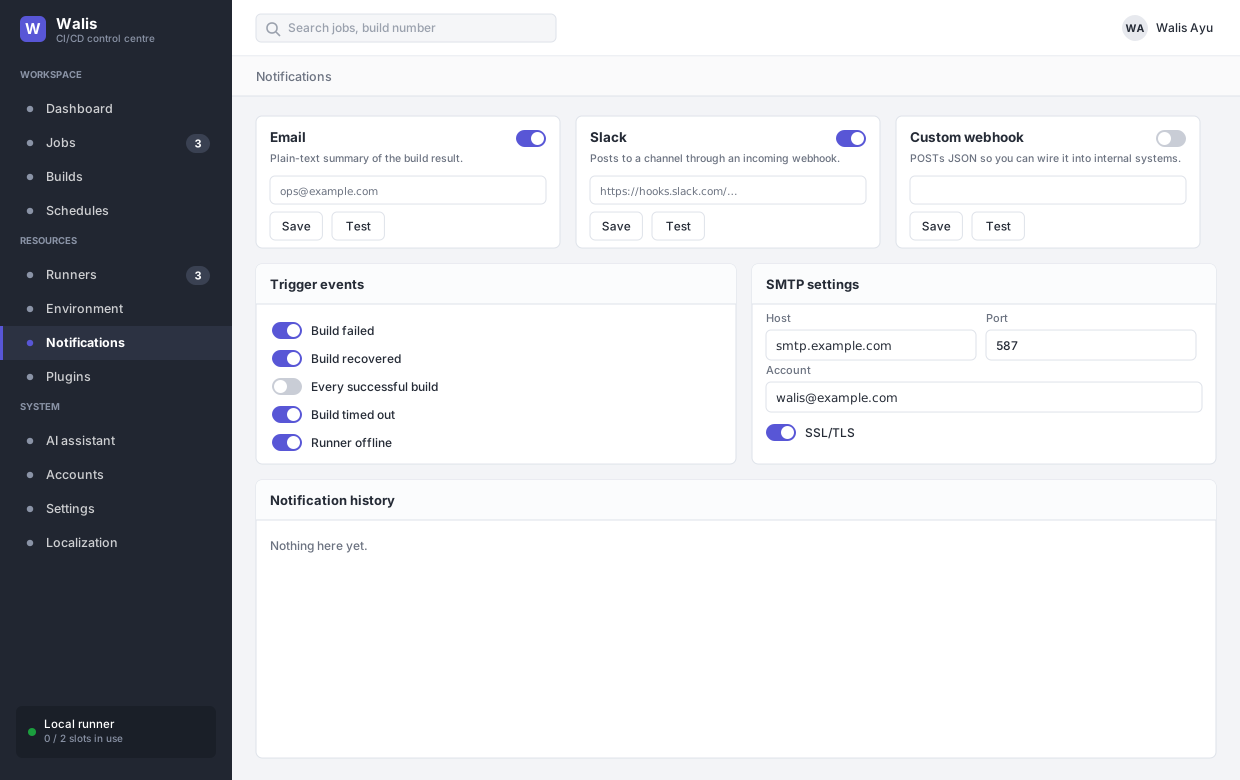
Three channels, five events, and a quiet window.
Channels
| Channel | Delivers |
|---|---|
| A plain-text summary of the build result. Needs the SMTP block filled in. | |
| Slack | Posts to a channel through an incoming webhook URL. |
| Custom webhook | POSTs JSON, for wiring into something you already run. |
Each channel has its own switch and its own Test button. Test sends immediately using the saved configuration — save first, then test, or you are testing the previous values.
Events
| Event | Fires when |
|---|---|
| Build failed | Any build fails. |
| Build recovered | This build succeeded and the previous one failed. |
| Every successful build | Every green build. Worth enabling only for jobs that matter — otherwise it trains everyone to ignore the channel. |
| Build timed out | The build exceeded the job's timeout and was killed. |
| Runner offline | A runner has not reported a heartbeat for five minutes. |
Quiet hours
Inside the quiet window, only failures are sent. Recoveries, successes and runner-offline notices are suppressed. It is a filter, not a queue: suppressed notifications are not delivered later.
Links back
Notification bodies link to the build page using Public URL from Settings → General. If that is unset or wrong, notifications still send but the links go nowhere useful.
History
Every dispatch is recorded with time, event, channel, target and result — including failures, which is where to look when a channel has silently stopped working. History is swept by the shared retention setting.