Settings
Five tabs. Everything saves at once and applies immediately to schedules, builds and notifications — there is no restart step.
General
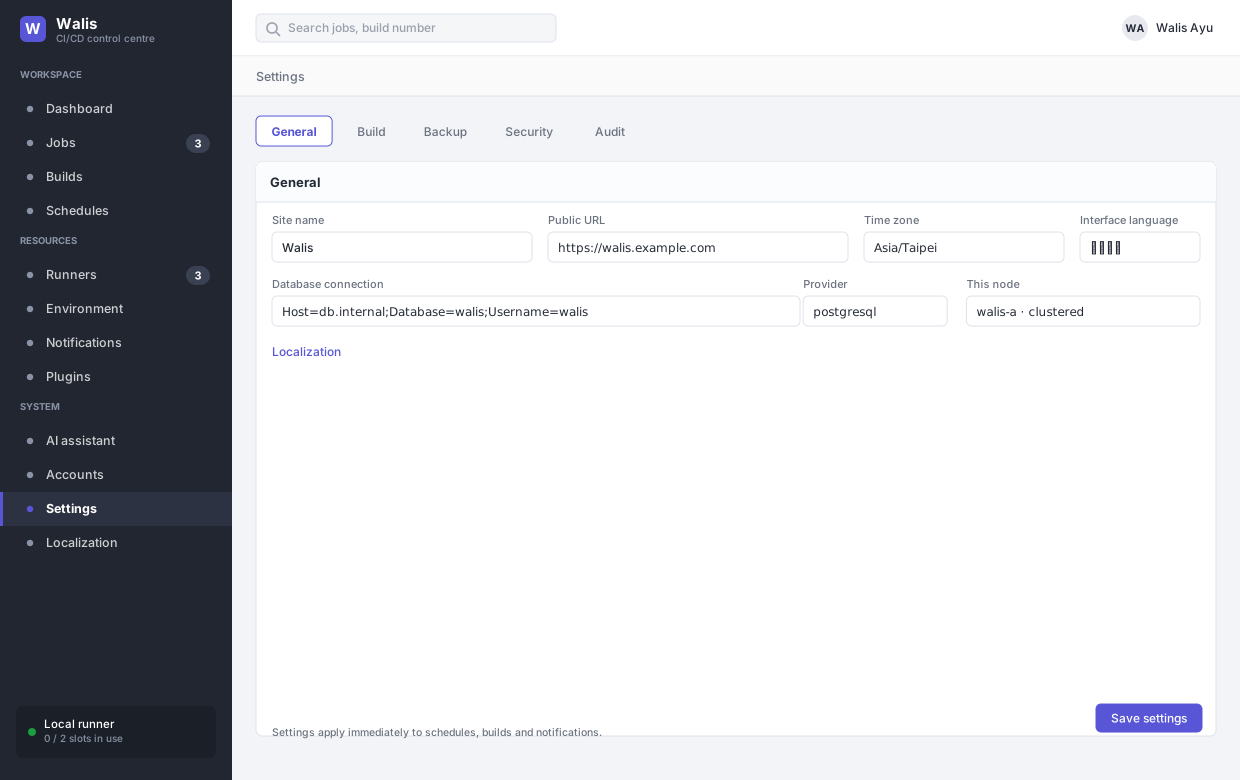
| Field | Notes |
|---|---|
| Site name | Shown in the header and in notification subjects. |
| Public URL | Used to build links in notifications. Set it, or notification links go nowhere. |
| Time zone | Cron expressions are evaluated in this zone, not UTC and not the browser's. |
| Interface language | Traditional Chinese, English or Japanese. See Localization. |
| Database | SQLite by default, relative to the API content root. Override with ConnectionStrings:Walis, and name the engine with Database__Provider (sqlite, postgresql, mysql, sqlserver). Anything but SQLite can be shared by several nodes — see High availability. |
Build
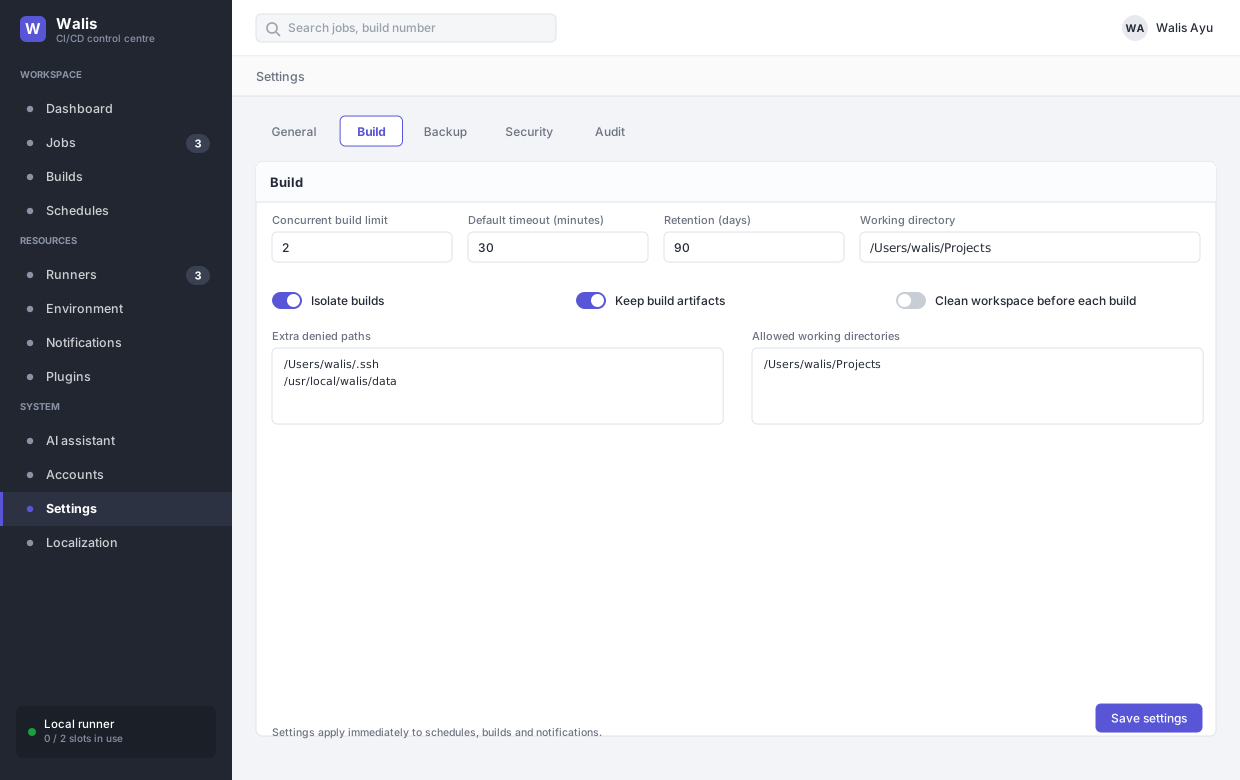
| Field | Notes |
|---|---|
| Concurrent build limit | Slots on the local runner. |
| Default timeout | Applied to jobs that do not set their own. |
| Retention (days) | Retention for build records and artifacts (audit entries have their own retention setting). |
| Default working directory | Root for jobs without their own directory; each job gets a subdirectory named after the job id. |
| Default shell | The shell each step runs in. |
Isolate builds
On by default. Where the platform has a sandbox — macOS — each step is wrapped in sandbox-exec and cannot read or write the Walis data directory or any path in Extra denied paths. Windows and Linux have no sandbox to apply, so the switch changes nothing there: builds on the built-in runner run with the service account's permissions, and the page shows a warning that says so.
Paths are resolved segment by segment through symlinks before the rules are written. This matters more than it sounds: on macOS /tmp and /var/folders are symlinks partway along, and a rule written against the unresolved path silently does nothing.
Refuse to run without an isolation boundary
Off by default, so that a first build works on every platform. Turn it on to stop builds from running where nothing isolates them:
- the built-in runner on Windows or Linux refuses to start a build;
- a remote runner is handed work only when its name is listed under Externally isolated runnersand it was started with
--external-isolation true.
Externally isolated runners
One runner name per line, used only while the switch above is on. List a runner only when the machine, VM or container it lives in does nothing except run Walis builds — Walis cannot verify the boundary for you.
Allowed working directories
One per line; empty means unrestricted. When the list is non-empty, a job whose working directory is not inside it fails immediately rather than running somewhere unintended.
Artifacts and workspace
- Keep build artifacts — copies the job's artifact paths out after a successful build, up to 200 files / 64 MB, downloadable from the log window.
- Clean workspace before each build — deletes directory contents only. Disk roots, home directories and suspiciously shallow paths are refused outright. Cleaning happens before the cache is restored.
- Clean workspace after each build — clears directory contents after artifacts and caches are saved (jobs can override this individually), so checked-out source and credentials written by a script do not linger between builds.
Backup
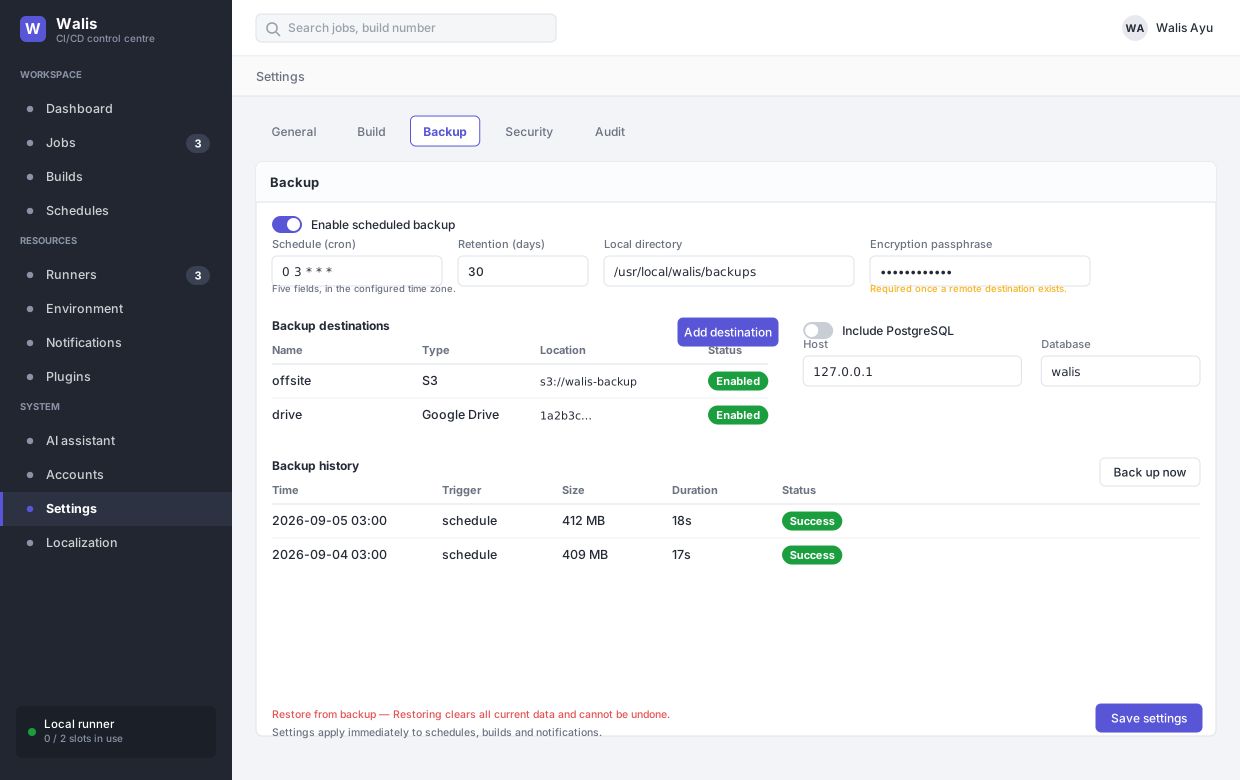
See Backup and restore.
Security
TIP
Walis now includes a dedicated Security Center (/security), aggregating posture checks, privileged resource audits, brute-force lockout releases, and security audit logs into a unified dashboard. Settings configured here sync seamlessly with the Security Center.
| Field | Notes |
|---|---|
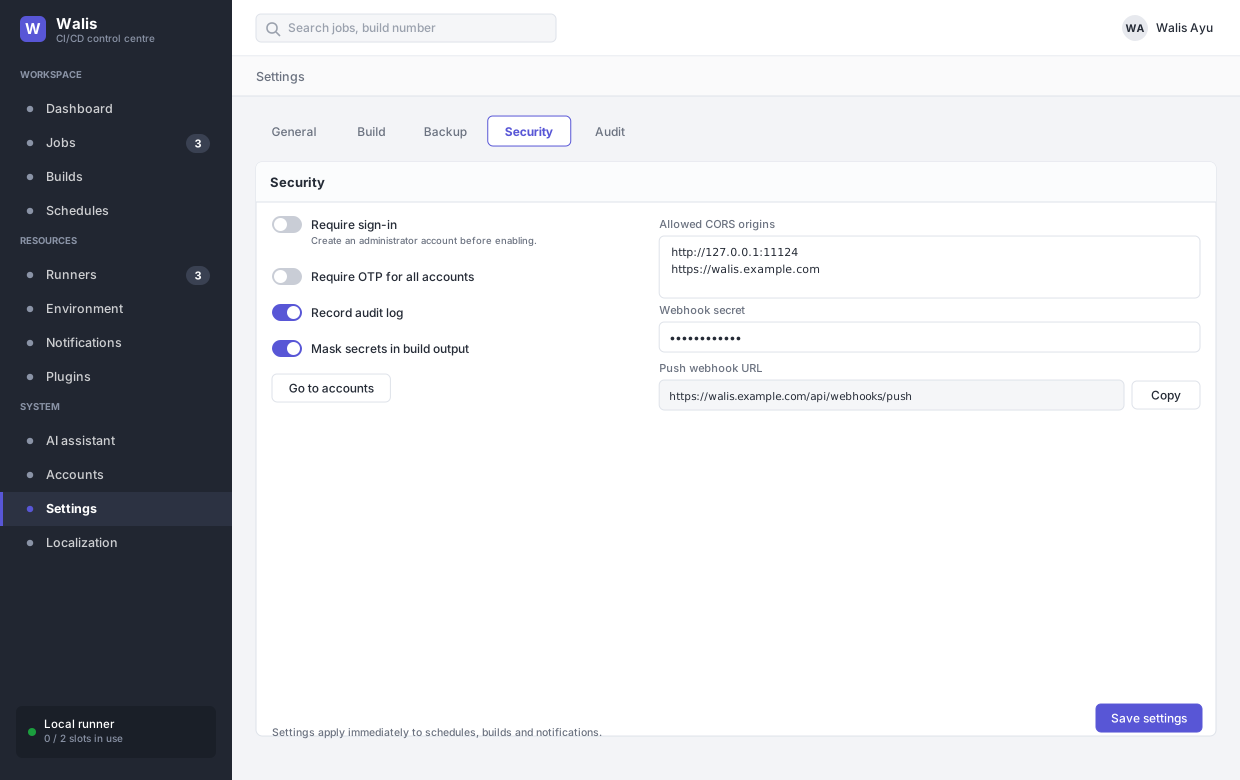
| Require sign-in | On by default. With it off, anonymous visitors are read-only: they still cannot change anything or trigger a build. The last administrator cannot be deleted. |
| Require OTP for all accounts | Accounts not yet enrolled are directed to the OTP setup screen upon sign-in, and cannot disable OTP afterwards. |
| Record audit log | Jobs, builds, runners, variables, settings, notifications, translations, plus failed sign-ins and lockouts. |
| Audit retention (days) | Defaults to 365 days (minimum 30), independent of build retention. |
| Mask secrets in build output | On by default. Off prints secret values into retained logs. |
| Allowed CORS origins | One per line, effective on save. Defaults to 127.0.0.1:11124 and localhost:11124. |
| MCP allowed source addresses | One IPv4/IPv6 address or CIDR range per line. When non-empty, unlisted addresses are refused at /mcp before any key is checked. |
| Webhook secret | Once set, push requests must carry X-Hub-Signature-256, X-Gitlab-Token or X-Walis-Token. |
| Push webhook URL | The address to paste into GitHub or GitLab. Copy button beside it. |
| Secrets at rest | Shows where the encryption key comes from (Security:EncryptionKey or secret.key in the data directory) and lets administrators clear values that cannot be decrypted after a key change or cross-machine restore. |
Audit
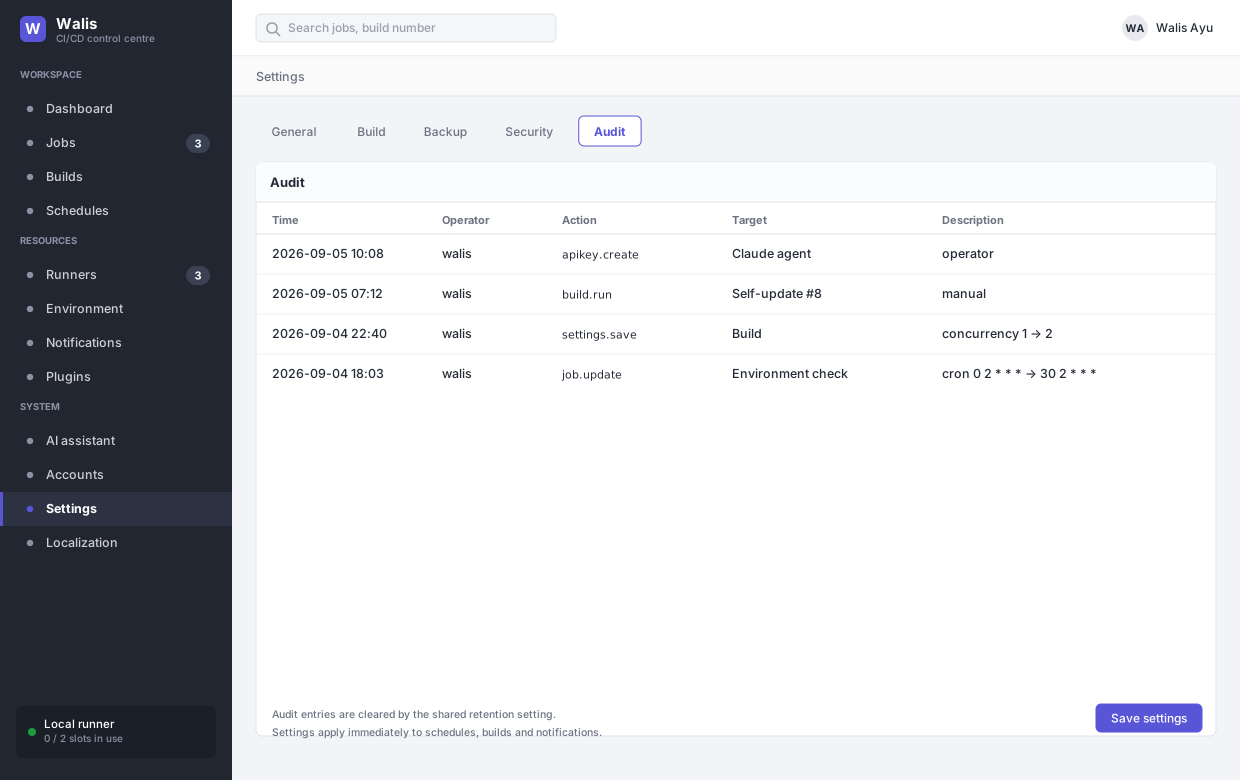
The audit trail, including actor, client remoteAddress and outcome, with filtering and CSV export. Swept by its own Audit retention (days) setting, and merged rather than wiped when restoring a backup.
Portability
Export writes every job and custom action as JSON, deliberately excluding identifiers, statistics and timestamps — those describe this machine, not the configuration.
Import matches by name. With overwrite false, an existing name is skipped; with it true, the job is updated in place and keeps its identifier and build history.
Action flows are objects in the export file rather than escaped strings, so the diff is reviewable.