Import from Jenkins
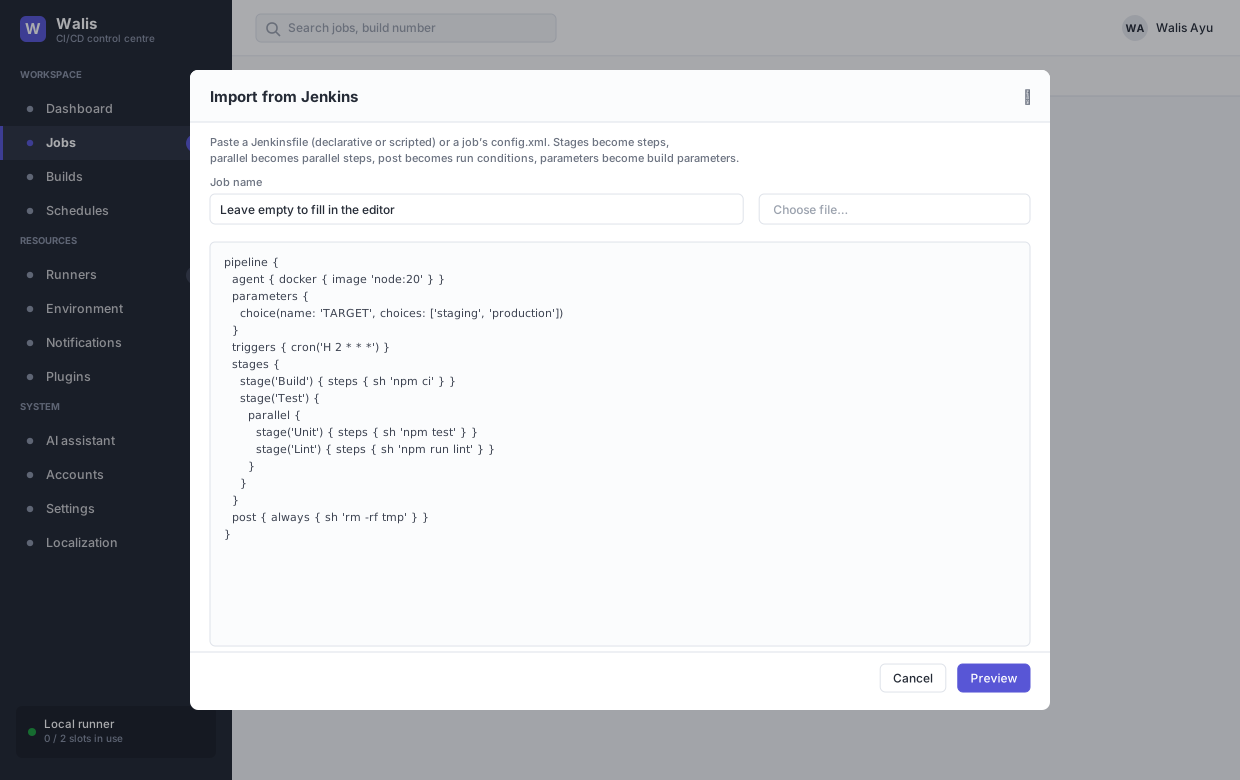
Jobs → Import from Jenkins turns a Jenkinsfile or a job's config.xml into a Walis job draft. Nothing is written to the database until you save.
This page is the walkthrough. For what translates and what does not, see the mapping table.
1 · Paste
Paste the file, or pick it from disk. Both declarative and scripted Jenkinsfiles work, as does a freestyle or matrix project's config.xml.
Job name can be left blank and filled in the editor. If you pick a file, the name is taken from the filename — unless the file is literally called Jenkinsfile or config.xml, which would make a poor job name.
TIP
Jenkins writes config.xml with an XML 1.1 declaration. Change it to 1.0 before pasting.
2 · Preview
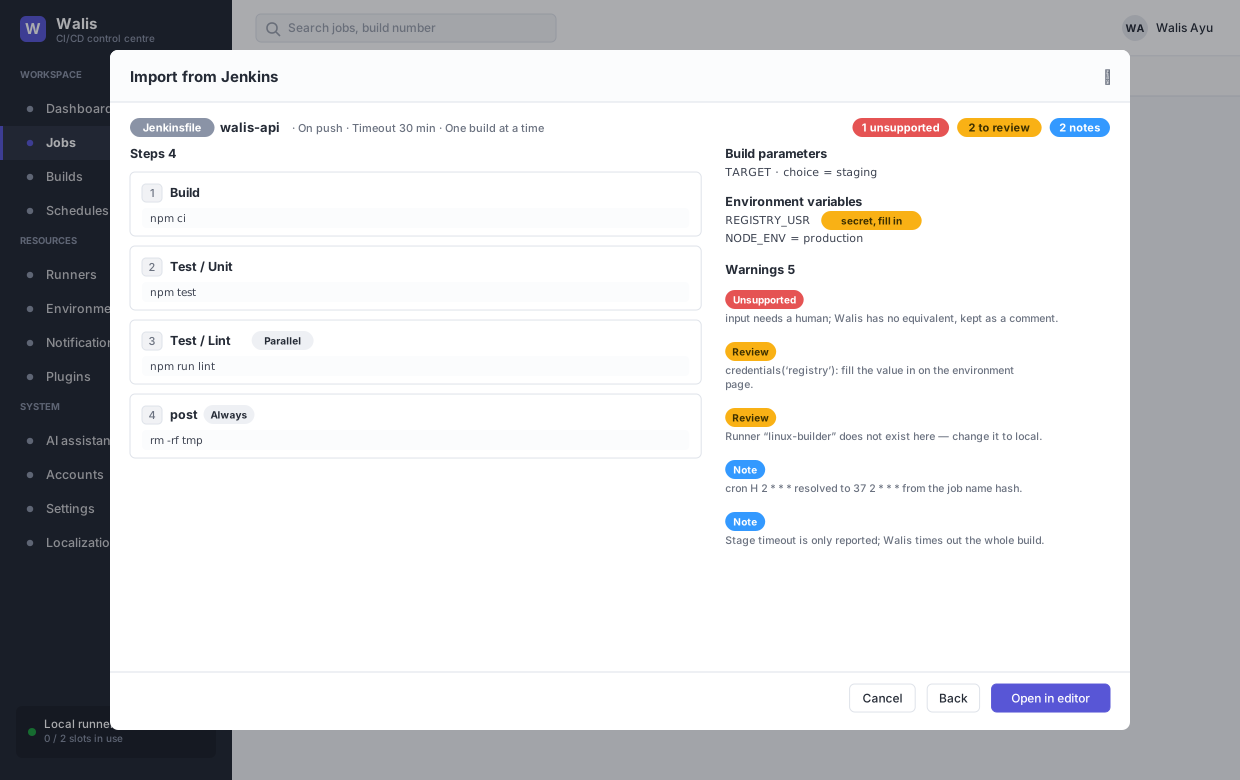
Preview converts and shows you the result. It is a read-only look at a draft — the API endpoint behind it writes nothing.
The header carries the detected format, the job name, and the trigger, timeout and concurrency the converter derived, plus a count of warnings by severity.
Steps
Each stage becomes a step, with badges for anything that is not a plain sequential shell command:
| Badge | Means |
|---|---|
| Parallel | Runs at the same time as the step before it, because neither depends on the other — came from a parallel block. |
| Always, On failure | The step's run condition — came from post { always } or post { failure }. |
| Retry ×N | Came from retry(n). |
| An image name | The step runs in a container — came from agent { docker }. |
Nested stages are named parent / child, so a Test stage containing Unit reads as Test / Unit.
The right-hand column
Whatever the job needs besides steps: build parameters, environment variables, downstream jobs and artifact paths.
Variables marked secret, fill in have no value. Walis cannot read a Jenkins credential, only that one was referenced — the Jenkins credential ID is shown as the source so you know what to put there.
Warnings
| Severity | Means |
|---|---|
| Note | Mapped, with a slightly different meaning. Read once and move on. |
| Review | Mapped, but it needs something from you — a secret, a runner that exists, a repository URL. |
| Unsupported | No equivalent. The original is kept in the script as a comment. |
Nothing is dropped silently. A block the parser cannot understand is kept verbatim and emitted as a comment, so you get a job with a visible gap rather than one that quietly lost a step.
3 · Open in editor
Open in editor hands the draft to the job editor. A blue banner across the top says the draft came from Jenkins and is not saved yet.
Everything is editable. This is the point at which to fix what the warnings flagged — a runner name that does not exist here, a repository URL the Jenkinsfile did not contain, a when expression that needs a human.
4 · Create job
Create job saves it like any other job, and additionally creates the job-scoped environment variables the import proposed.
Variables that had a value are created with it. Secret ones are created empty, and a warning lists them by name so you know which are still waiting. Until you fill them in, the build will run with empty values — which usually fails at the point the credential is used, not at the start.
After saving there is no trace of Jenkins. It is an ordinary Walis job.