Build history
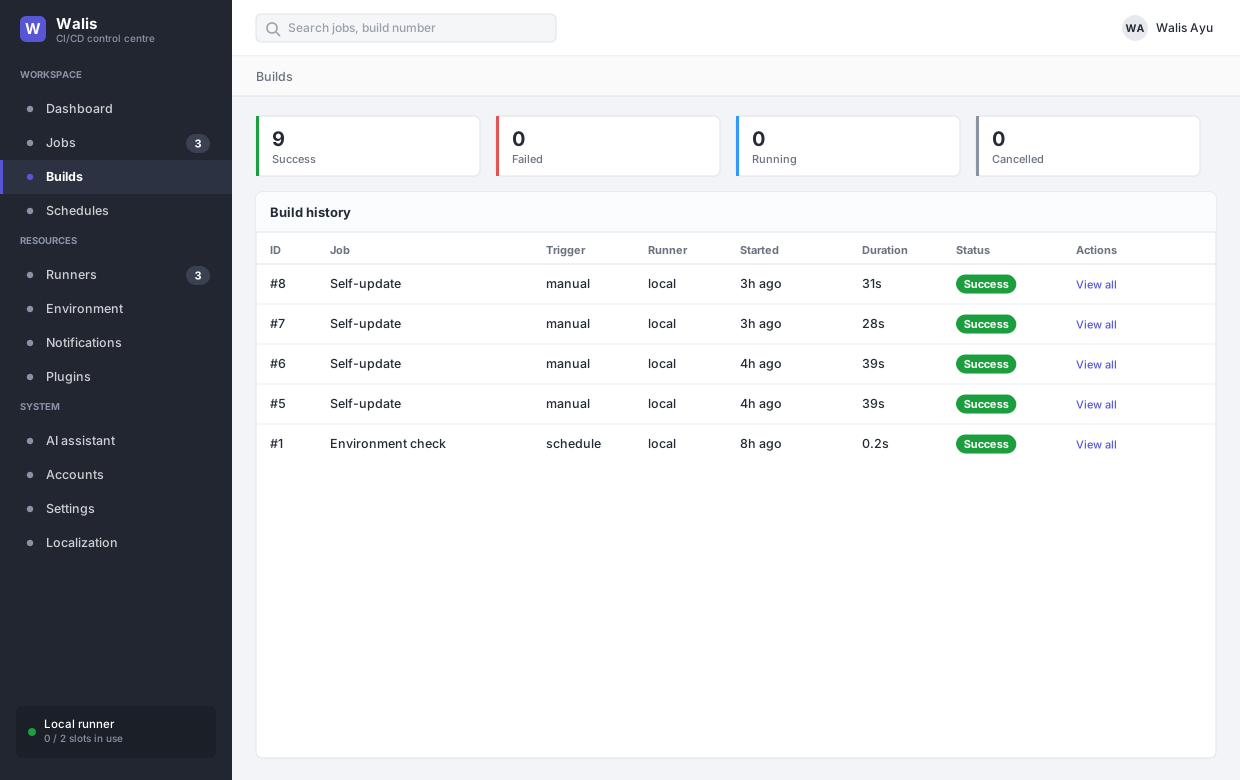
Every execution of a job, with per-step detail. Filter by status and by runner.
Retention is shared: the Retention (days) setting in Settings → Build sweeps build records, artifacts and audit entries together.
Steps
A build is a list of steps, planned when the build starts:
- In flow mode, one step per action.
- In script mode, a single step.
Each step keeps its own status, output, exit code and duration.
What a failure does
A failed step does not abort the build. The plan runs to the end, and each remaining step is judged by its run when setting:
| Run when | After an earlier failure |
|---|---|
| Only if everything before succeeded (default) | Marked Skipped. |
| Always | Runs — for cleanup, teardown, a notification. |
| Only after a failure | Runs. |
The build's result is still Failed. Only the job timeout stops a build outright; a step that starts with no time left is failed with a message saying so.
A step with continue on failure does not mark the build as failed at all, so later steps carry on as if nothing happened.
Retries
A step can be given up to ten retries. Each attempt is a fresh shell; the earlier attempts' output is kept above the current one, so a step that passed on the third try says so. Retries draw on the same job timeout — they do not extend it.
Every step is its own shell
Steps share the working directory. They do not share environment variables. To pass a value on, append to the file Walis points at:
echo "BUILT_VERSION=1.2.3" >> "$WALIS_ENV_FILE"The next step reads it as $BUILT_VERSION. This matches how other CI systems behave, and it avoids a step silently depending on the shell state of the one before it.
Running at the same time
Steps run when their dependencies are done, so anything not waiting on anything else runs together — up to 8 steps at once. See the flow is a graph.
While several steps run at once:
- The working directory is shared.
- Each step gets its own
$WALIS_ENV_FILE— a shared one would let them overwrite each other. - The aggregated log does not update live (concurrent writers would interleave into nonsense); per-step output still streams normally.
- A branch that fails does not stop branches that do not depend on it. Where they rejoin, the join is skipped and the failure carries downstream.
Step outputs
A step that writes name=value to $WALIS_OUTPUT_FILE gets an Output table in its panel in the log window, listing each name and value. Secret values are masked.
Those are the values later steps reference as ${{ steps.ID.NAME }} — see passing a value on.
Reading the output
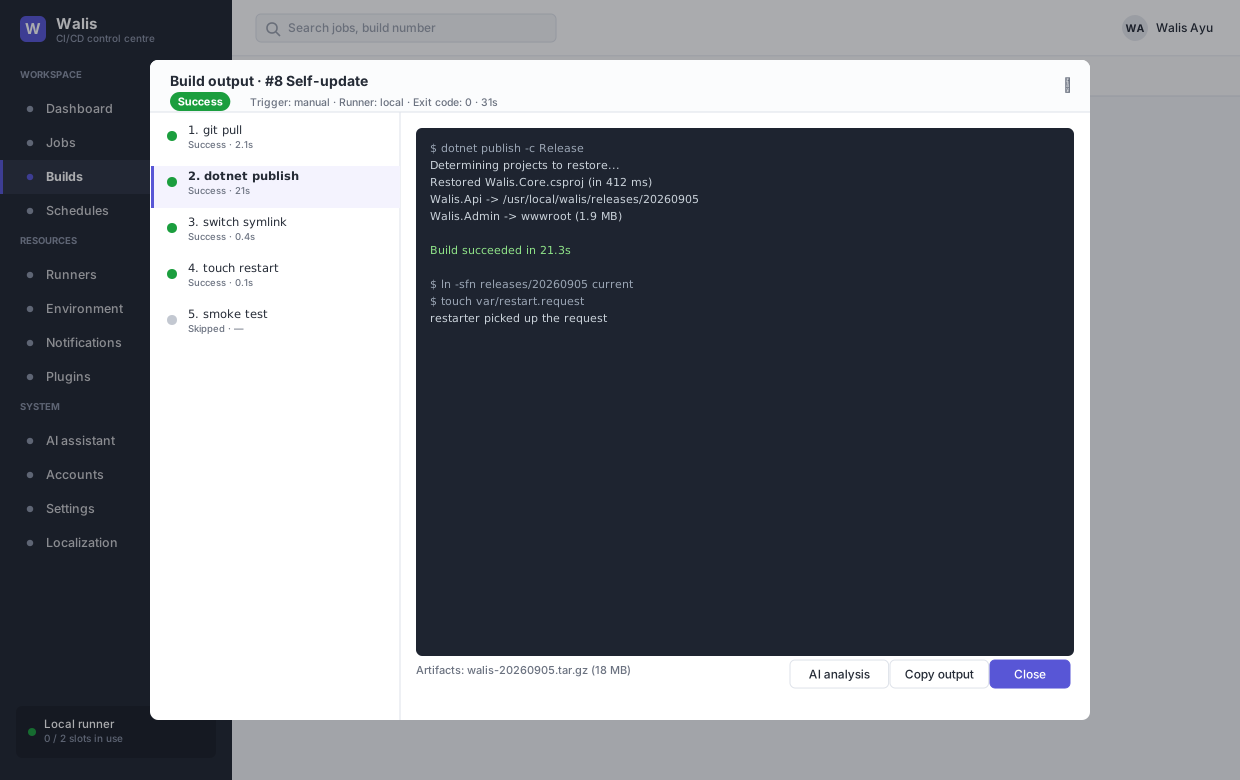
The log window lists steps on the left and the selected step's output on the right, with the trigger, runner, exit code and duration in the header.
While a build runs, output updates every two seconds and the pane follows the tail. Scroll up and it stops following — so you can read something without fighting the scroll.
Artifacts produced by the build are listed underneath and can be downloaded. AI analysis sends the failing output to your configured provider and summarises what went wrong.
If the job declares build parameters, the values used for this run are shown in the header. password parameters appear as ******** — the value is stored in a column the API never serialises, so it is not merely hidden in the UI.
Matrix builds
A job with a matrix produces one build per combination, each labelled with its values, which are also injected as environment variables. The cap is 50 combinations — four axes of five values is 625 builds, which is rarely what anyone meant.
Build cache
Paths listed in the job are saved after a successful build and restored before the next one. The order matters and is deliberate: Walis cleans the workspace first, then restores the cache. Reversed, cleaning would delete what was just restored.
Absolute paths and .. are ignored.